
[imgcook]: The Secret Free AI Tool Alibaba Uses to Build Apps
You’ve probably never heard of imgcook, and that’s a shame because it’s likely the most powerful free tool you’re not using. While Silicon Valley startups charge $50 a month for "design-to-code" AI, Alibaba (yes, the e-commerce giant) gives this tool away for $0 with absolutely no daily credit limits.
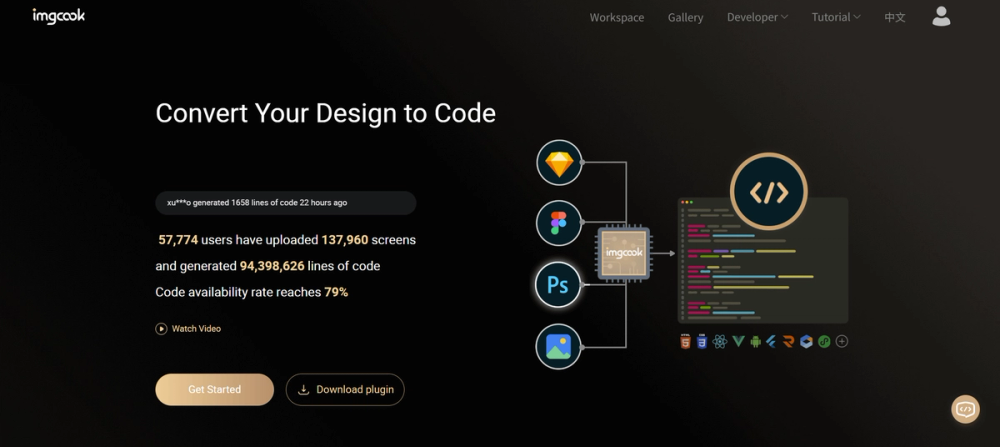
It converts your static designs—whether from Figma, Sketch, Photoshop, or even a flat image—into usable code like React, Vue, or CSS.
🎨 What It Actually Does
Think of imgcook as a very literal "chef" for your code. You feed it raw ingredients (a screenshot or design file), and it chops, cooks, and plates them into a structured codebase.
- Plugin Power: You don’t just upload a file to a website. You install their plugin directly into Figma or Sketch – [Seamless workflow integration].
- Intelligent Analysis: It doesn't just guess pixels. It analyzes the visual structure to create logical groupings (divs, spans, containers) – [Code that actually makes sense to a human].
- The "Cook" Logic: It identifies distinct components (like a "Buy Button" or "User Avatar") and generates the specific CSS/JS for them – [Saves hours of tedious manual coding].
- Multi-Flavor Output: You can ask it to spit out React, Vue, or simple HTML/CSS – [Works with whatever tech stack you already use].
The Real Cost (Free vs. Paid)
Here is where it gets interesting. Most Western tools hook you with a free tier and then slam a paywall in your face the moment you try to export code. imgcook is different. It is an internal tool Alibaba made public to help their own developers move faster.
| Plan | Cost | Key Limits/Perks |
|---|---|---|
| imgcook | $0 | Unlimited exports, no credit system, open access. |
| Competitors | ~$19-$49/mo | Often limited to 3 exports/mo on free plans; watermarks. |
The Catch: There is always a catch. With imgcook, the "cost" is usability. The documentation can be a mix of English and Chinese. It requires a bit of setup (installing VS Code extensions or design plugins). It isn't a "one-click magic website" for total beginners; it’s a power tool for developers who are broke but willing to read a manual.
How It Stacks Up
If you are looking for a polished, hand-holding experience, you might struggle here. But if you want raw power for free, look at the difference:
- Builder.io: The market leader. Incredible visual editor and drag-and-drop features. However, the free plan is restrictive on traffic and features. You pay for the polish.
- Locofy.ai: excellent for Figma users. It turns designs into production-ready code seamlessly. However, it operates on a "Freemium" model where heavy usage eventually nudges you toward a paid tier or limits your project scope.
- V0 (by Vercel): The modern AI contender. You type text, it makes a UI. However, it’s purely generative AI. It hallucinates. imgcook works from your actual design files, ensuring pixel-perfect accuracy rather than AI creativity.
The Verdict
We are entering an era where "Pro" tools are becoming commodities. imgcook is a glimpse into a future where the base layer of creation—turning a picture into code—is free infrastructure, not a luxury product.
It isn't the prettiest tool. It doesn't have a sleek marketing team in San Francisco. But it works. If you are a student, a bootstrapper, or just a developer tired of paying subscriptions for basic utility, imgcook is your new best friend. It respects your wallet, even if it makes you work a little harder for the result.